

 Kirtan Notation
Learn, Create & Share Kirtan Notations
Learn a composition line by line with the tabla keeping time — on the modern platform for documenting and sharing Kirtan compositions in the standardized Bhatkhande notation system.
200+ compositions154 raags29 taalsnotation in Punjabi, Hindi & English
Free to start — no card required.
Features
Everything You Need for Kirtan Notations
Powerful tools for creating, practising, and sharing Kirtan compositions in the standardized Bhatkhande notation system.
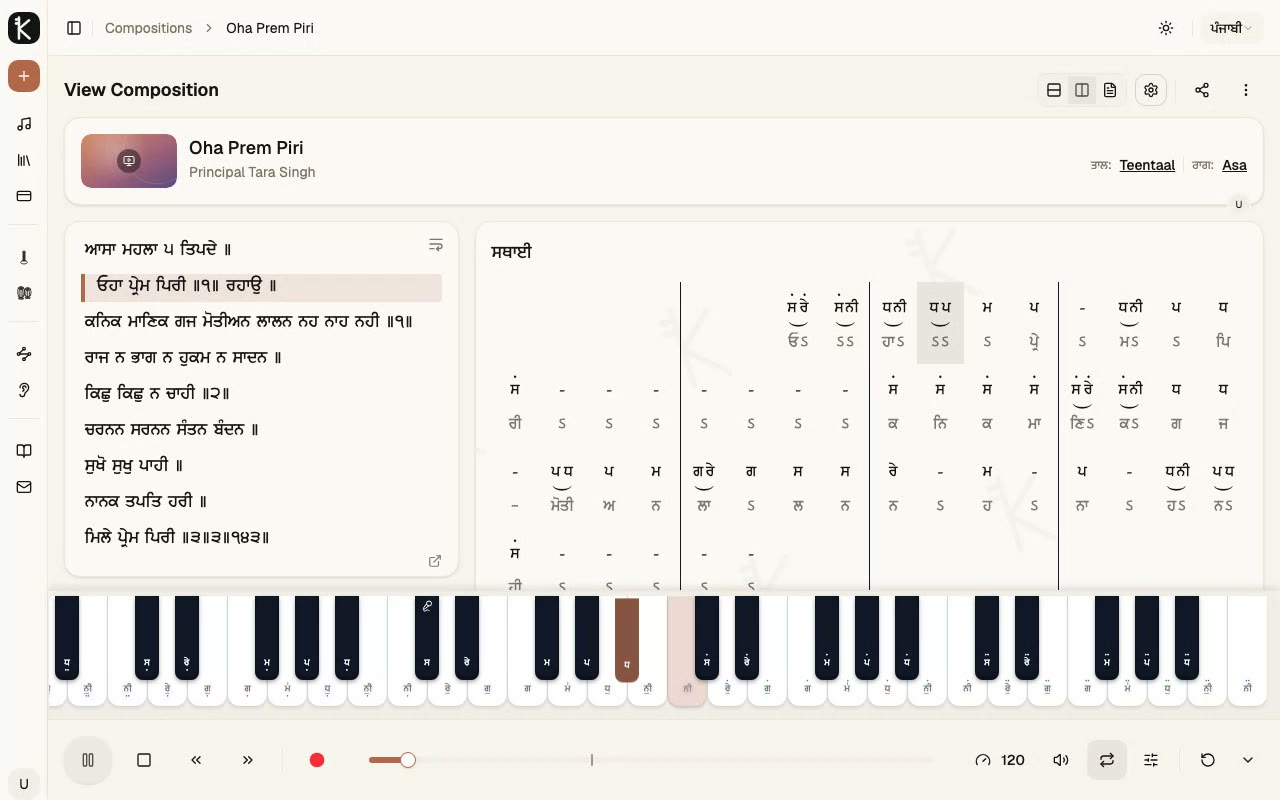
Bhatkhande Notation Editor
Write notation the way it is taught — a taal-aware grid with vibhag markers, kan (grace) notes, octave dots, and meend, in the standard Bhatkhande format.
- Sections (sthayi, antara, …) with per-section taal, raag, and tempo
- Undo/redo, import, and a built-in notation guide
- Works with a dedicated on-screen keyboard on mobile
Playback & Practice
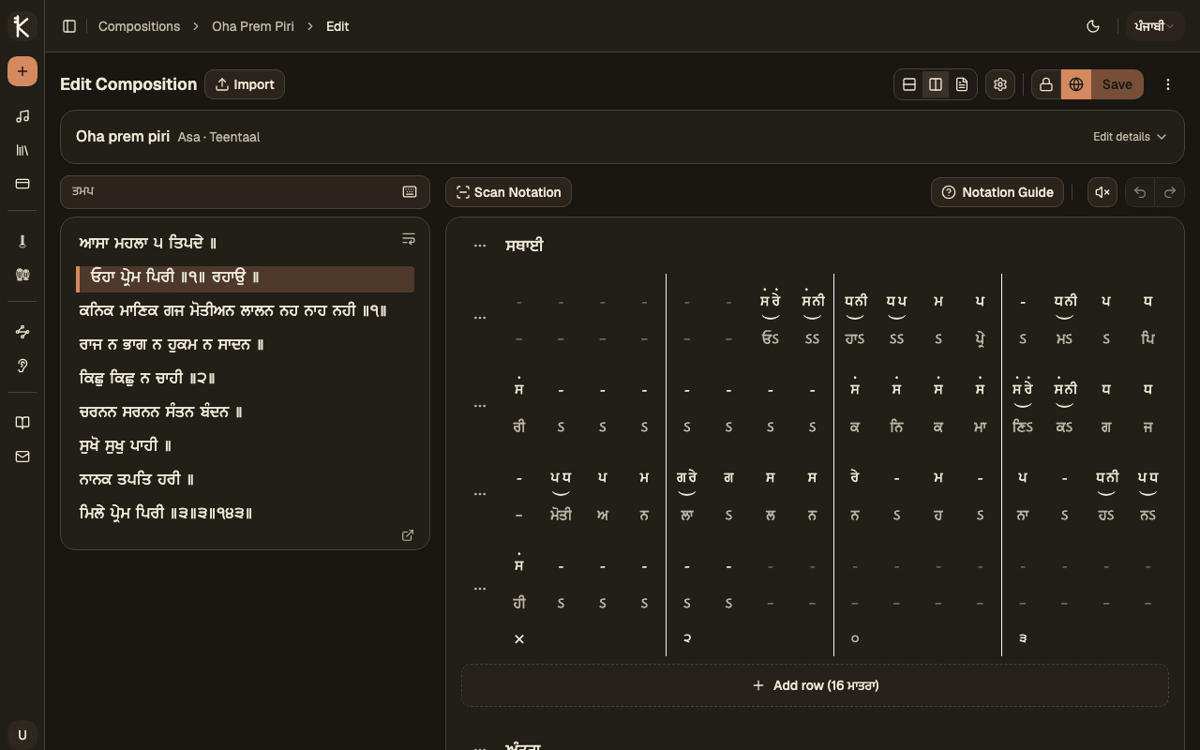
Hear every note you write. Playback highlights each beat as it plays, with tabla and tanpura accompaniment that follow your taal and key.
- Piano, harmonium, and guitar voices with key highlighting
- Loop phrases, adjust tempo, and transpose to any key
- Tabla theka and tanpura drone matched to your composition
Shabad Integration
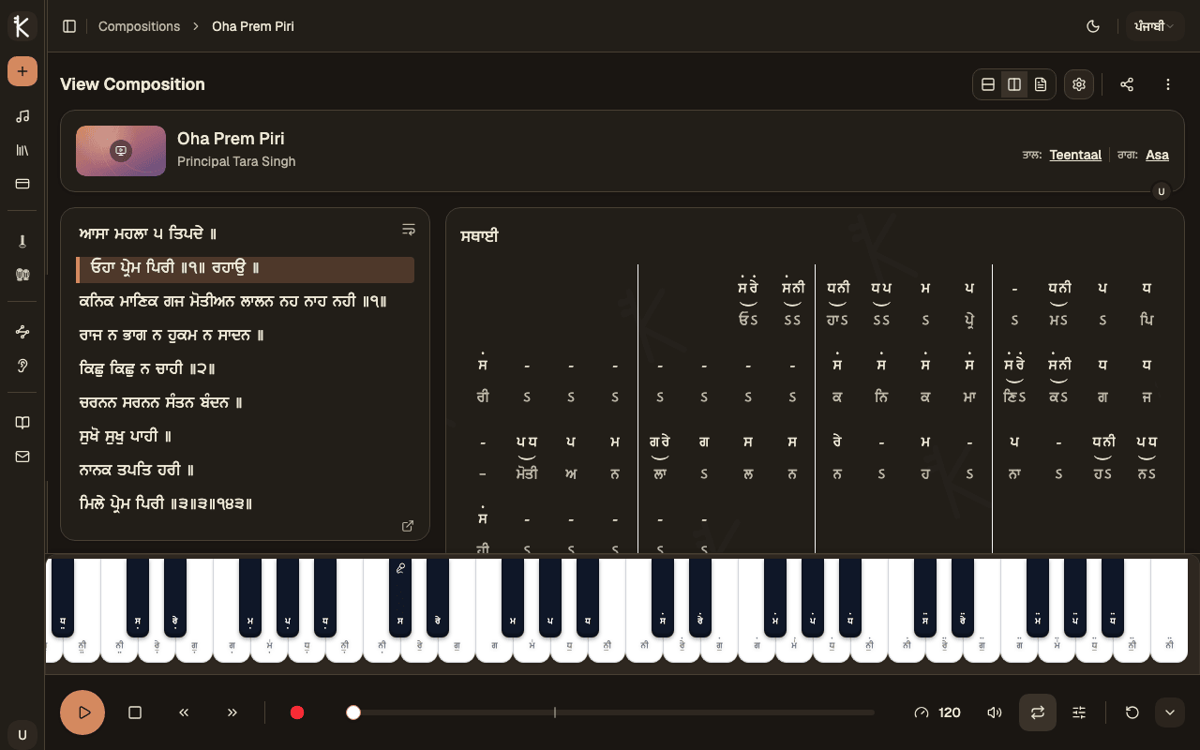
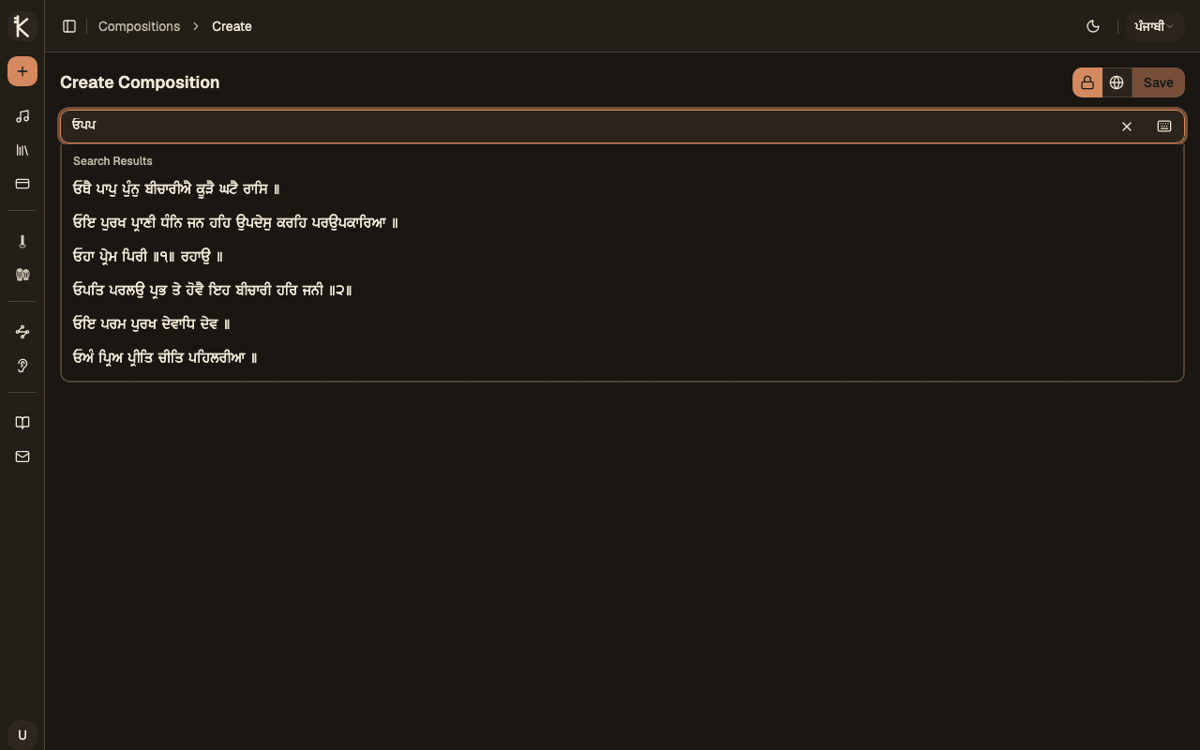
Search the complete Sri Guru Granth Sahib via BaniDB and link any shabad to your composition — verses stay alongside your notation while you write.
- First-letter Gurmukhi search, the way raagis remember shabads
- Verse-by-verse display next to the editor
- Deep links: share a shabad and its compositions together
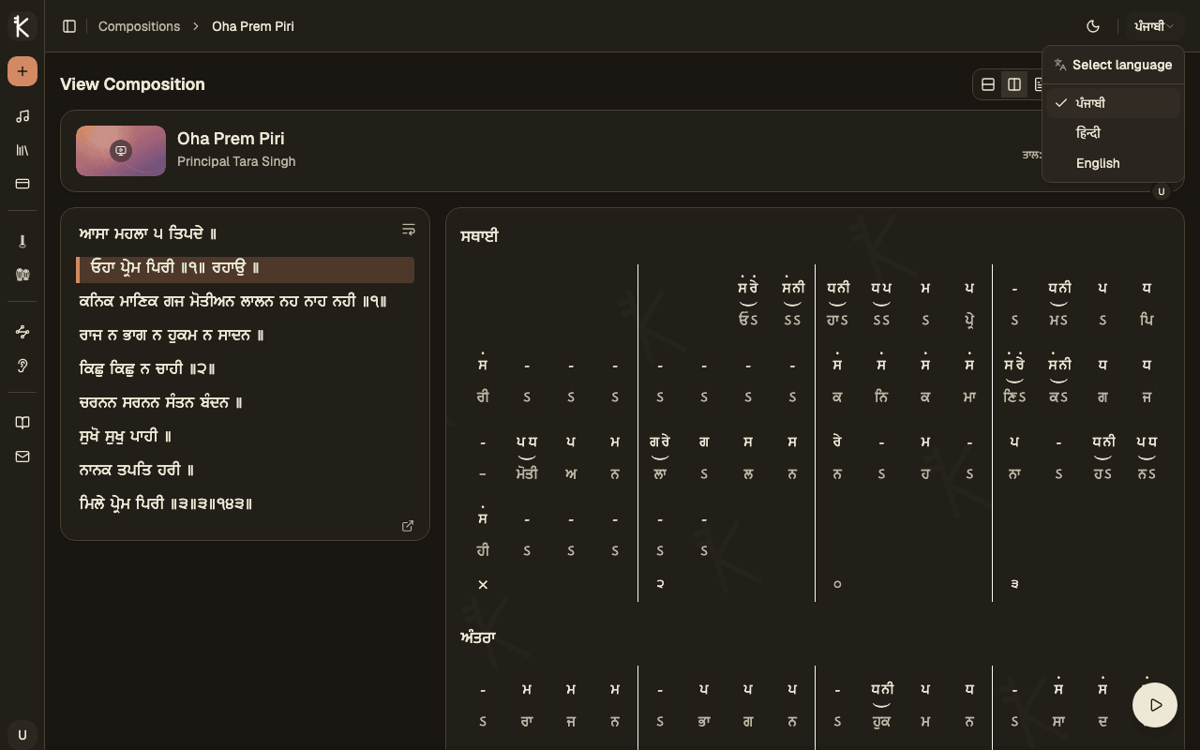
One Notation, Every Language
Every composition renders in Punjabi, Hindi, and English — write once, and every student reads it in the language they know.
- Language switching for notation, lyrics, and the whole interface
- Authentic Bhatkhande glyphs in every script
- Transliteration handled automatically
Composition Management
Organize private and public compositions with raag, taal, singer, and media metadata.
Discovery & Sharing
Browse the community library and share compositions with a link.
Export Anywhere
Download compositions as PDF for print, JSON for backup, or MIDI for your DAW.
How It Works
From Idea to Shared Composition in Four Steps
- 1
Create a Composition
Pick a shabad from the BaniDB library, choose Raag and Taal.
- 2
Write the Notation
Add notes in the Bhatkhande editor, organized into sections aligned with your Taal.
- 3
Play and Practice
Hear it back with piano, tabla, and tanpura — loop phrases and adjust tempo.
- 4
Share and Export
Publish to the community, share a link, or export as PDF, JSON, or MIDI.
Pricing
Choose Your Plan
Select the perfect subscription that fits your needs. Cancel anytime.
Free Plan
Perfect for trying things out
- Create unlimited public compositions
- Up to 5 private compositions
- Basic notation editor
- Multi-language notation support
- Browse and view public compositions
- Preview playback with Tabla & Tanpura drone
- Watch performances synced to video, beat by beat
- Search and filter by Raga & Taal
- Ear-training practice (starter raags)
- Tanpura drone for riyaaz
- Share & discover community compositions
Pro Plan
RecommendedFor students who want to learn faster and stay organized
- Everything in Free, plus:
- Full notation editor features
- Unlimited public & private compositions
- Play notations with built-in audio player
- Play along with Tabla & Tanpura drone — full composition
- Record your practice & sing-along takes
- Transpose to any key, with Vadi & Samvadi highlights
- Download & import compositions (PDF, JSON)
- Save compositions for later
Pro Plus Plan
PremiumFor teachers & performers who need professional output
- Everything in Pro, plus:
- Play with different instruments
- Play along with a MIDI keyboard
- Write notation with your MIDI keyboard
- Advanced playback controls
- Watermark-free viewing & PDF exports
- Export compositions as MIDI
- Create and manage collections
- Priority customer support
Contact
Get In Touch
Have questions about Kirtan Notation? Want to suggest a feature? Reach out to us using the form or through any of the contact methods below.